
This is a utility program that was written in a very short time to solve a particular problem. When working with images it is nice to have a checkpoint you can go back to. I use Microsoft Paint for a lot of things but it does not have an undo. When working on something it is easy to copy the picture to the clipboard. If a mistake is made, the prior image can be had from the clipboard. It looked like a small utility that was able to display the clipboard or reload it would be very useful.
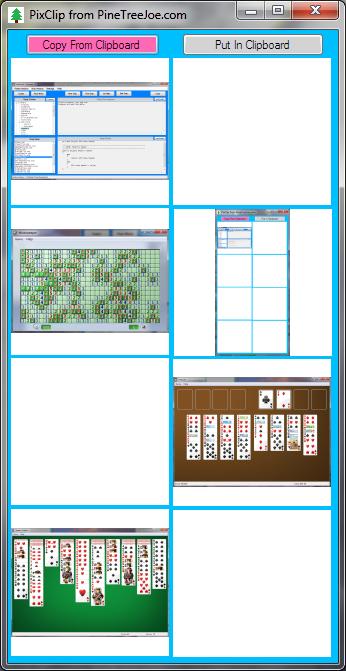
The program is very simple. There is only one code file: Form1. There are two buttons and some PictureBox controls. The ususal things like Help, About, and Logger that are in most PineTreeJoe programs were left out because they were not needed. All the PictureBox events are handled by a single routine. It will either put the image into the clipboard or get the image from the clipboard. This is an example of how something very simple can be very useful. The current program can save and display 8 images.
The whole time to develope it was less than half an hour after I figured out what I really needed. Unlike other PineTreeJoe programs there is no logger, no help, no about, or any other standard item. To make it smaller all the mouse clicks are handled by the same event handler. Most of the function headers were added using SnipAssist. It would be very easy to add more PictureBox controls. I thought about saving an image to disk or loading an image from disk, but neither looked useful enough to make it worth the effort. Another feature I might put in some day is to display the size of the image. This would require changing the basic structure.
There are two buttons for the two operations the program can do. The first is to copy the clipboard to one of the PictureBox controls when the PictureBox is clicked. The other operation is to copy the image from a PictureBox control to the clipboard when the PictureBox is clicked.
The first version had 4 pictures. The number of pictures was increased to 6 as two rows of three. Because of how the PixClip was used there was a request to make it 4 rows of 2 so it could be beside the picture editor. It is easy to make almost any shape or number of pictures. A VB.net version will be almost the same code.
If other things are being worked on and need temporary storage the PixClip idea can be extended to different things besides pictures.Some extra buttons or menu selections could add functionality like editing but it is probably a good idea to keep this program as simple as possible. If a picture is selected to get information the basic structure would need to be changed. A dedicated picture processing program would be better. This could be made into a dialog for use with a picture processing program.

 PineTreeJoe